
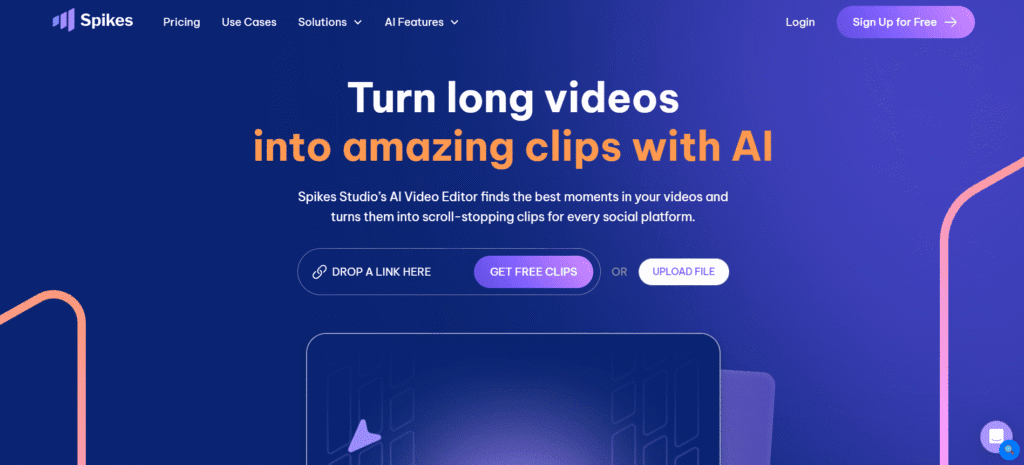
What Is Spikes Studio?
Spike Studio is an intelligent video editing application that uses artificial intelligence to transform long videos into brief, thrilling clips. The videos will be ideal on social media such as YouTube Shorts, TikTok, Instagram Reels, and Twitch highlight videos. Spikes scan the whole video and discover the most interesting parts. It then develops brief videos using captions, hashtags, descriptions, and formats them for each platform. It can work with videos up to 24 hours long and tasks that take less than 10 minutes to complete. Spikes helps you to create catchy short content with ease.
Key Features of Spikes Studio
- Artificial Intelligence- assisted Clip Generation: It operates video analysis on long videos and identifies the most interesting parts of the video according to the pace of the video, viewership behavior, and popularity data.
- Platform Specific Clips: By making clips that fit the style of YouTube, Twitch, TikTok, and YouTube reels, Spikes can dominate those platforms.
- Improved Video Quality: It applies intelligent technology to ensure that your clips appear good and maintain the attention of people.
- Easy to use: The tool is quite simple and straightforward, and making great videos can be easy even in case there is no experience in editing.
- Social Media Scheduler: Keep all your content in one centralized dashboard, schedule, plan and effortlessly publish your clips on YouTube, Tik Tok, Instagram, Facebook and LinkedIn.
- Custom Branding: Add your logo, watermarks, caption styles using your brand, and the like to all the clips to make the brand professional.
Who Can Use
- Content creators repurposing YouTube videos into TikTok/Instagram content
- Twitch streamers creating highlight reels from gaming sessions
- Podcasters converting audio shows into video clips with captions
- Digital marketers creating social media ads from webinar recordings
- Educators transforming lectures into bite-sized learning snippets
- Agency teams managing multiple clients’ video content calendars
Pros & Cons
Pros:
- Dramatically reduces editing time (24-hour videos processed in 10 minutes)
- Exceptionally accurate auto-captions (99%+ accuracy in 99 languages)
- Integrated social media scheduler streamlines content distribution
- Platform-optimized formatting for TikTok, YouTube Shorts, Reels AI accurately identifies viral-worthy moments
Cons:
- May require manual adjustments for highly nuanced content
- Some advanced features are only available on the Enterprise plan
- Pricing can get expensive for high-volume users
- Occasional AI mistakes in identifying “best” moments
Pricing
- Basic Plan: (Free) you receive a watermark on video, 720p quality, auto captions and a basic editor.
- PRO Plus Plan: (Paid annually) No watermark, 1080p quality, animated captions, AI B-roll, music and sound effects, and a tool to schedule posts on social media.
- Enterprise Plan: (Paid annually) You have personalized templates, 1080p quality, a superior editor, an account manager, infinite storage, and access to the API for automation.
- The free plan provides 30 minutes of video editing per month. By referring people, you can get more time. Spike Studio supports over 99 languages. There is no need for a credit card to get started.
- (Pricing may vary; check spikes. studio for current rates)
FAQs
Q1: Is Spikes Studio completely free?
Spikes offers a free plan with 30 minutes of monthly video processing and 25 free clips. However, free clips include watermarks. To remove watermarks and access unlimited processing, you’ll need a paid subscription.
Q2: Can Spikes handle videos longer than 24 hours?
Yes, Spikes can process videos longer than 24 hours. The video streaming platform can easily support very long-form content, but processing time is proportional to the length of the video.
Q3: What makes Spikes Studio different from other video editing tools?
Spikes Studio automates the editing and tailors’ works for YouTube, Tik Tok, Twitch, and Instagram Reels with the help of AI and saves time, not to mention improving interactions.
Q4: Can I share videos directly from Spikes Studio to social media?
Yes, Spikes Studio allows posting clips on such platforms as YouTube, TikTok, Facebook, and LinkedIn without leaving the tool.
Q5: Does Spikes Studio support team collaboration and cloud storage?
Yes, it enables work with teams and integrates with the popular cloud storage services to improve access to raw and edited videos.