What Is NinjaChat AI?
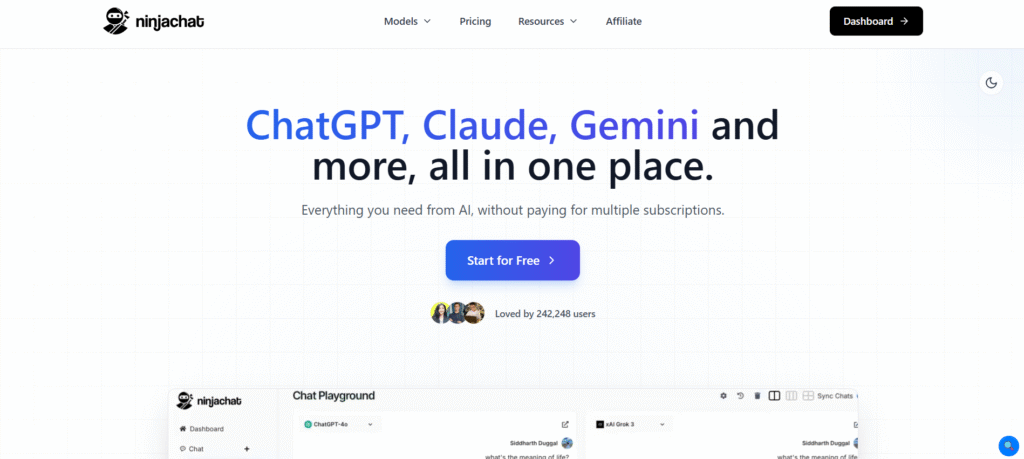
Ninjachat AI changes the manner we deal with AI totally by offering a single, unified platform that merges several AI models like ChatGPT and Claude. Targeting mainly the people and professionals who need efficient and economical solutions. Ninjachat AI performs a variety of complicated tasks in a very simple way such as writing, image generation, document analysis, and music composition. Different AI models can be chosen by you depending on which one is most suitable for your work. You can upload documents, carry out internet searches, and have your dialogues saved for the later.
Key Features of NinjaChat AI
- Multi-Model Access: Move effortlessly between GPT-4o, Claude 3.5 Sonnet, Gemini Pro, Llama, and other top AI models according to the needs of your task.
- Document Analysis: Upload and analyze your documents instantly. Get insights, summaries, and answers to questions from your PDFs, Word documents, spreadsheets, and other files.
- Image Generation: Use DALL-E or other image models integrated with the chat interface to create pictures from the description given to AI.
- Interactive Story Plotter: Authors and game developers can use this tool to draw up a story full of different possible plots that depend on the reader’s or player’s choice. It’s the simplest way to make interactive storytelling.
- AI Music Generator: The system helps you in making music you need for your videos, games, or any other project. It’s a musical composer for you even if you have never played an instrument.
Who Can Use
- Developers writing code and debugging complex programs
- Content creators producing articles, scripts, and marketing copy
- Business analysts performing data analysis and report generation
- Students getting homework help and learning new concepts
- Marketing teams creating campaigns and social media content
Pros & Cons
Pros:
- Access multiple premium AI models with one subscription
- Significantly cheaper than subscribing to each service separately
- Flexible model switching lets you use best AI for each task
- Conversation history and organization features enhance productivity
- Document analysis capabilities handle various file formats
- Regular updates add new models and capabilities
Cons:
- Free plan very limited compared to paid subscriptions
- Can be overwhelming with so many models’ choices
- Learning curve to understand which model works best for what
- Internet connection required (no offline capabilities)
Pricing
- Starter Plan: Costs $9 per month. It gives you 1,000 messages with premium AI, 30 image creations, and 5 high quality videos.
- Pro Plan: Costs $18 per month. It includes 4,000 messages, 100 images, and 15 videos.
- Expert Plan: Is a $25 per month subscription. It provides 8,000 messages, 300 images, and 30 videos.
- Enterprise or Team Plan: Is a per-user monthly subscription that starts from $76. The main feature of this plan is the inclusion of the team’s management tools.
You can change between different AI models while chatting. Some models may have limits based on your plan.
The free version gives you very few messages. It also shows ads and does not include many features.
FAQs
Q1: What are the main differences between NinjaChat AI and ChatGPT?
NinjaChat is giving you a choice of AI models like GPT-4, Claude, Gemini, and many more, while ChatGPT is limited to models from OpenAI. With this attribute, you will have more liberty and more alternatives.
Q2: Is it possible to change the AI models during the conversation?
NinjaChat enables users to change different AI models while they are having a conversation so that users can take advantage of the strengths of each model at different stages of their task.
Q3: Is the conversation history saved by NinjaChat?
Indeed, all talking to each other sessions are saved, and categorization into folders is possible. You are free to search, refer to, and pick up where you left off in conversations at any moment.
Q4: Can I submit files for analysis?
Definitely. With NinjaChat, you can upload PDFs, Word files, spreadsheets, and various other file formats for AI-driven processing, summarizing, and question answering.
Q5: Is there a business team plan available?
Absolutely, NinjaChat provides a business team plan with collaborative workspaces, shared chat access, admin controls, and usage tracking for companies and organizations.