
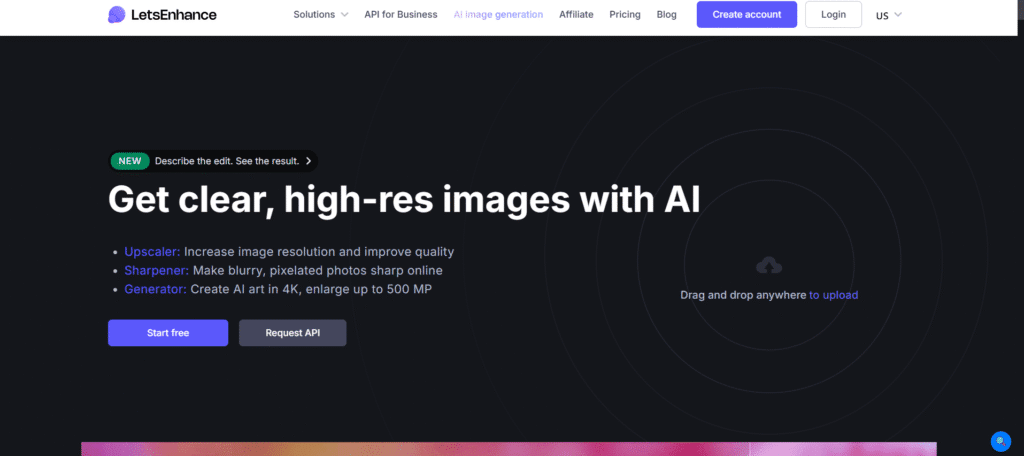
What Is Let’s Enhance?
Let’s Enhance is a fantastic application that immediately changes ambiguous or poor images into sharp and clear images. It is able to expand the pictures up to sixteen times without any details being lost. Besides, it repairs blurriness, brightens colors, and eliminates the compression’s roughness. However, regular editing is merely pixel stretching, whereas AI trained on millions of photos adds the missing details. Thus, it is a great help for photographers to retouch old pictures, online sellers to enhance product pictures, real estate agents to present better property images, and designers to make photographs ready for printing.
Key Features of Let’s Enhance
- AI-Powered Upscaling: They first produce information that is intelligent and subsequently upsample an image 16 times (500px to 8000px) without explaining or even making it look better.
- Smart Enhancement: One-click sharpening; the sharpness of the image is automatically removed, compression artifacts are removed, noise is reduced, and color is painted.
- Batch Processing: Multiple pictures can be uploaded and processed at once, which is suitable for photographers and businesses that deal with large quantities of images.
- HDR Filter: It is utilized for producing high dynamic range effects through the modification of shadows and highlights, giving a more dramatic and professional look to the photographs.
- Format Support: It works with standard image formats such as JPEG and PNG and offers output options for both web and print use.
Who Can Use
- Photographers restoring old photos and preparing images for print
- E-commerce businesses are improving product photography quality
- Real estate agents are enhancing property listing photos
- Graphic designers preparing images for large-format printing
- Social media managers creating high-quality visual content
- Print-on-demand businesses upscaling designs for products
- Marketing agencies are polishing campaign imagery
Pros & Cons
Pros:
- Dramatically improves image quality beyond traditional upscaling
- Fast processing (most images enhanced in under 30 seconds)
- Batch processing saves time for bulk image enhancement
- Results suitable for professional and commercial use
- Intuitive interface requires no technical expertise
- Multiple specialized AI models for different enhancement needs
Cons:
- Free plan minimal (only 10 credits per month)
- It can be expensive for frequent high-volume use
- Not all images upscale perfectly (depends on original quality)
- Cannot fix extremely low-quality or heavily damaged images
- Some results may look slightly artificial or overprocessed.
- Requires internet connection (no offline processing)
Pricing
- Free Tier: New users get 10 free credits upon signup to try the photo enhancement tools. These credits are not renewed monthly.
- Subscription Plans: Once the free credits have been used, users are offered a monthly or annual subscription or can purchase one-time credit packs.
- Prices may change. The most up-to-date and precise information is available on the official site of Let’s Enhance.
FAQs
Q1: Where can I use Let’s Enhance, and what does it work with?
It provides batch editing for several photos at a time as well as a direct integration with business operations for the companies. It can also produce large high-quality images.
Q2: Are there guides to help me learn Let’s Enhance?
The blogs of Let’s Enhance provide simple-to-follow tutorials on various levels from beginner to advanced user. They demonstrate the process of using all features and getting the best results.
Q3: Is Let’s Enhance completely free of charge?
Let’s Enhance provides 10 free credits, which are a part of the free plan. The credits, however, are not renewed every month. The paid plans, on the other hand, start at 9 dollars per month for access to the features and the continued use of the service.
Q4: Will I be able to use the improved images for commercial purposes?
Only Pro and Business plans are for commercial use. Free and Starter plans may have some restrictions. Please check the licensing terms that apply to your specific plan.
Q5: What is the time taken for image processing?
Most images are processed in 10 to 30 seconds, with size and selected enhancements being the determining factors. Pro and business users receive faster processing because of priority access.