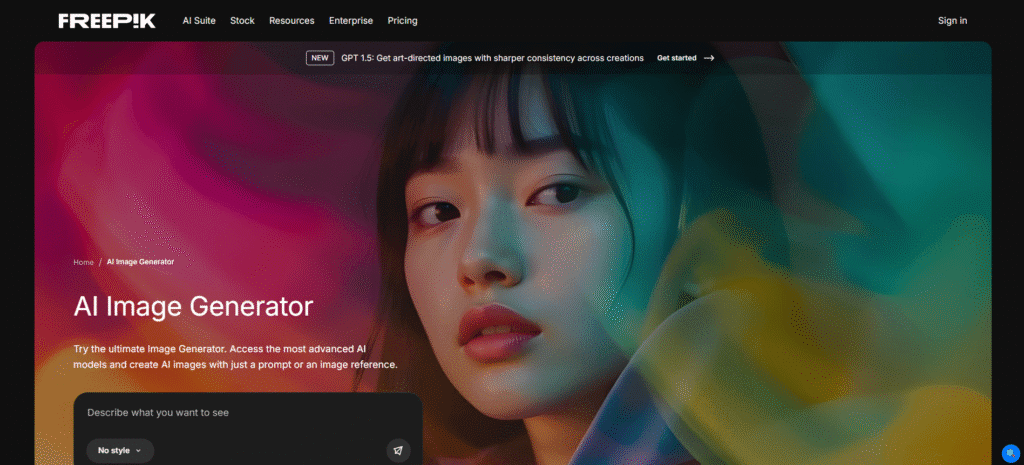
What Is Freepik AI Image Generator?
Freepik AI Image Generator enables users to create pictures by writing simple prompts. The tool employs advanced technology to create great images based on users’ texts. Being a Freepik product, the user not only gets access to a variety of images but also a lot of templates and drawings. It’s useful for quicker visuals for artists, marketing professionals, and project workers. You can choose styles, edit images, and remove backgrounds, making picture creation super easy for everyone.
Key Features of Freepik AI Image Generator
- Text-to-Image Generation: All you need to do is to write a simple prompt, and the software will generate the image in question. You shall be able to decide how the image should look, such as the style, the light, and the tone.
- Various Art Styles: Choose between an array of impressions such as very real photos, cartoons, paintings, and 3D art, anime, or drawings to make them match your idea.
- Integrated Design Tools: In addition to AI images, a vast variety of templates, icons, and photos can be selected to use in helping with your design.
- Image Editing Skills: The editing capabilities will allow you to edit your image with the inbuilt editing capabilities including changing the background, correcting the colour, or even moving around the different parts.
Who Can Use
- Graphic designers creating custom visuals for client projects
- Social media managers producing engaging post imagery
- Marketing professionals developing campaign materials
- Content creators needing unique illustrations and graphics
- Small business owners creating DIY marketing materials
- Bloggers generating custom featured images for articles
Pros & Cons
Pros:
- Multiple artistic styles suit diverse creative needs
- High-quality, professional-grade image outputs
- Built-in editing tools streamline workflow
- Commercial licensing is available on premium plans
- Free tier available for testing capabilities
Cons:
- The free plan has daily generation limits
- Some generated images may require multiple attempts
- Occasionally produces unexpected or imperfect results
- Cannot perfectly recreate specific reference images
- Requires clear, detailed prompts for best results
Pricing
- Free – 10 downloads/day, limited AI and stock access, attribution needed.
- Essential ($69/year) – 84,000 AI credits, no premium stock, includes upscaler and commercial license.
- Premium ($144/year) – 216,000 AI credits, premium stock, unlimited downloads, custom styles.
- Premium+ ($294/year) – 540,000 AI credits, unlimited generation, faster speed, SVG, and video upscaler.
- Pro ($1,900/year) – 3.6M AI credits, merchandising license, advanced features, expert support.
- Enterprise (Custom) – Unlimited users, flexible credits, full access, legal cover, admin tools.
(Pricing varies; check freepik.com for current rates)
FAQs
Q1: Is Freepik AI Image Generator free?
Freepik provides limited daily AI generations under the free plan. To benefit from unlimited generations and commercial licensing, a Premium subscription (which starts at around $10/month) is mandatory.
Q2: Can I use generated images commercially?
Commercial use is granted with the Premium and Teams plans. Free users are restricted to personal, non-commercial use only.
Q3: What makes Freepik AI different from other generators?
Freepik AI has access to millions of design resources (templates, vectors, photos), thus providing more than just an image generation system; it is a complete design ecosystem.
Q4: How realistic are the generated images?
The quality of the image depends on the prompt and the style picked. The photorealistic style can give very realistic results, but there might be some traces of AI.
Q5: Can I edit images after generation?
Indeed, Freepik consists of an integrated editing toolkit for removing backgrounds, cropping, changing colors, and doing basic modifications to make your generated images more appealing.